TomTom · 2025
Light and sound
for Tom
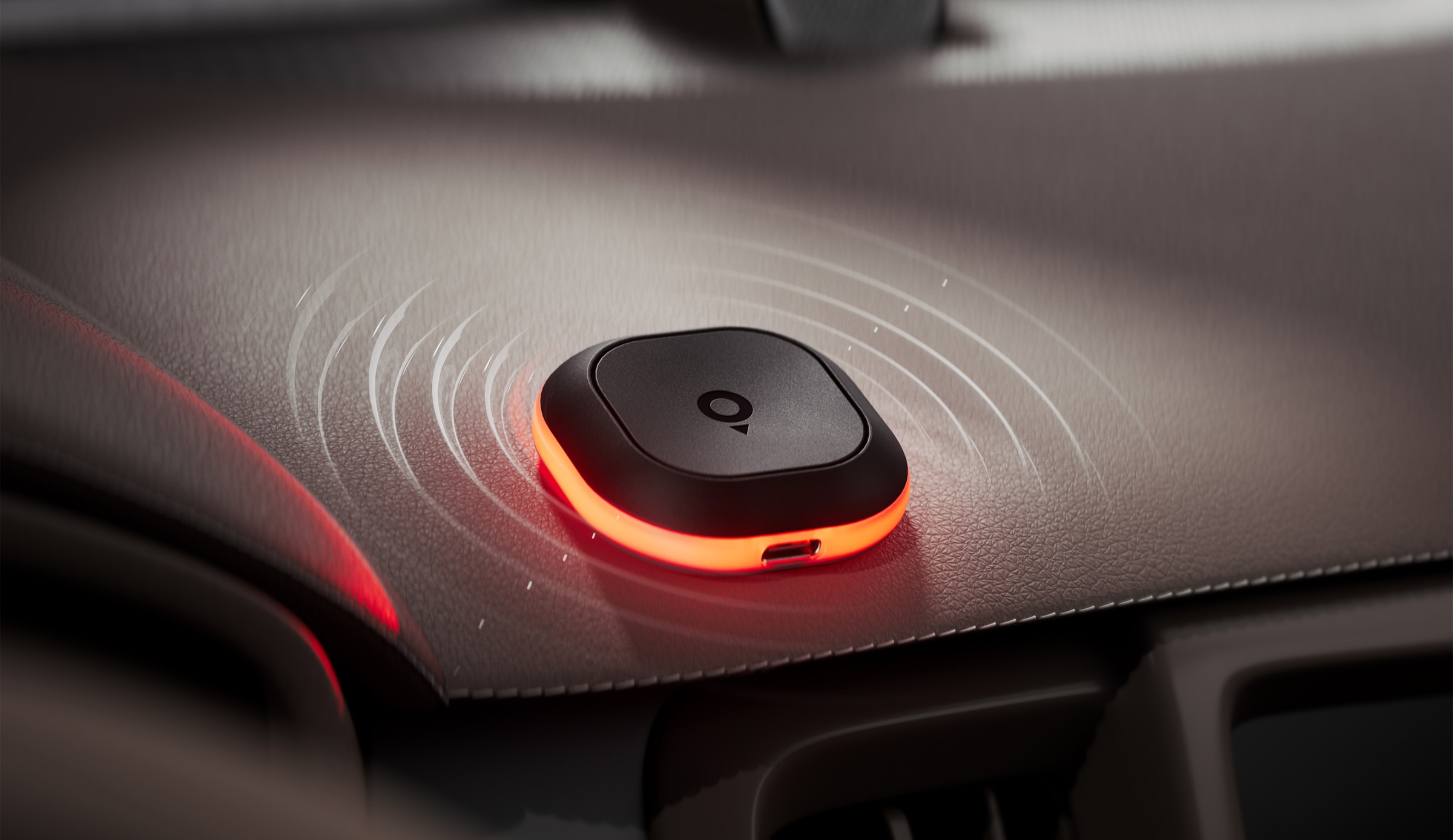
Tom warns drivers without a screen. I designed the language of light and sound it uses for every alert, state and confirmation.
Freelance senior product designer · 2025
Recognised by pattern, not volume
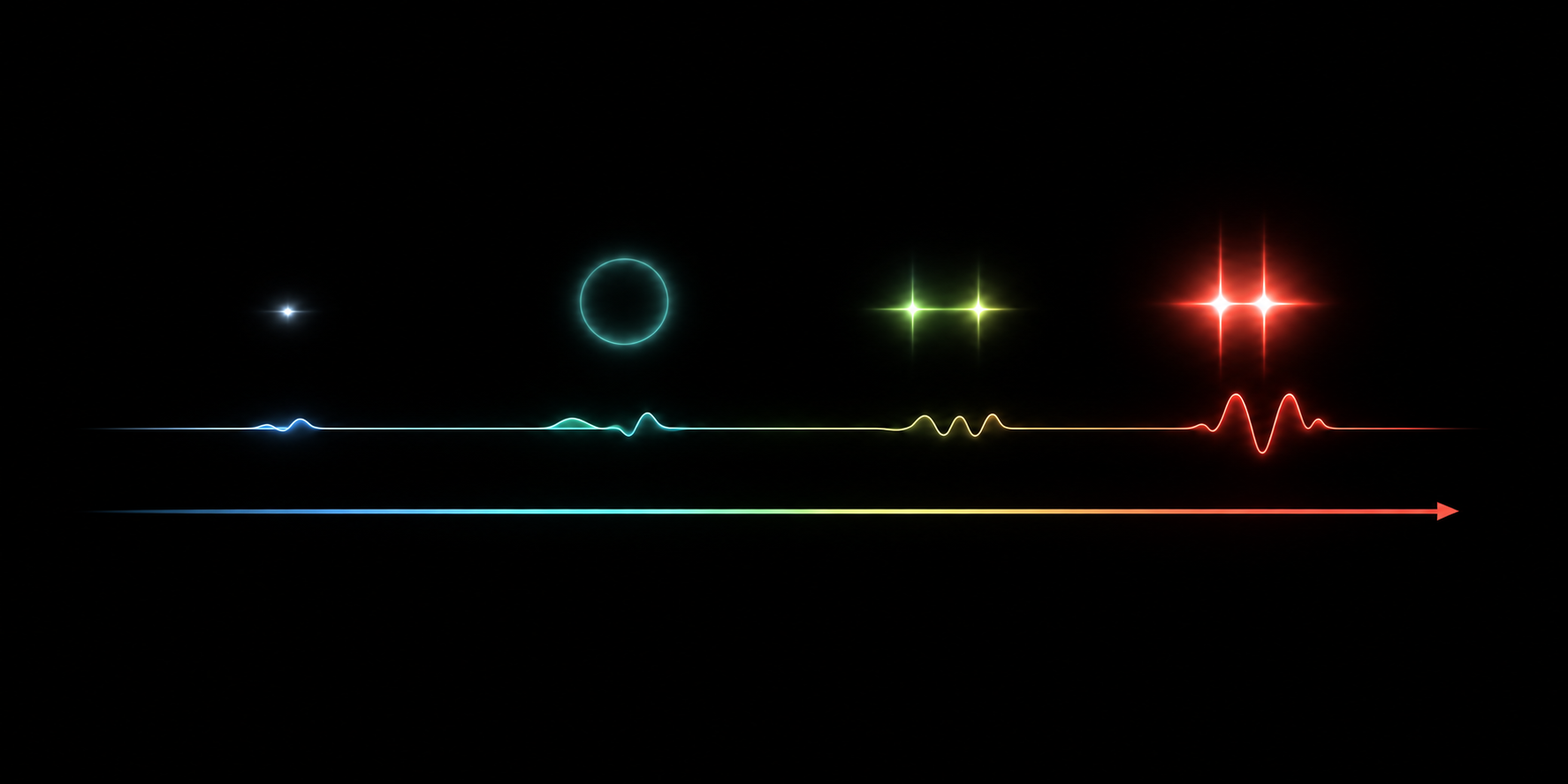
Alerts had to be distinct without becoming stressful. I separated them with rhythm, pitch, duration and colour. Quiet moments get short, light cues. Urgent ones get stronger light and deeper tones. Four levels cover everything, from a heartbeat in the background to an immediate warning.
One colour per situation, learned in the app
Blue for cameras, yellow for hazards, red for traffic jams, orange for speeding. The app teaches each one with a road scene and the real signal on the device.
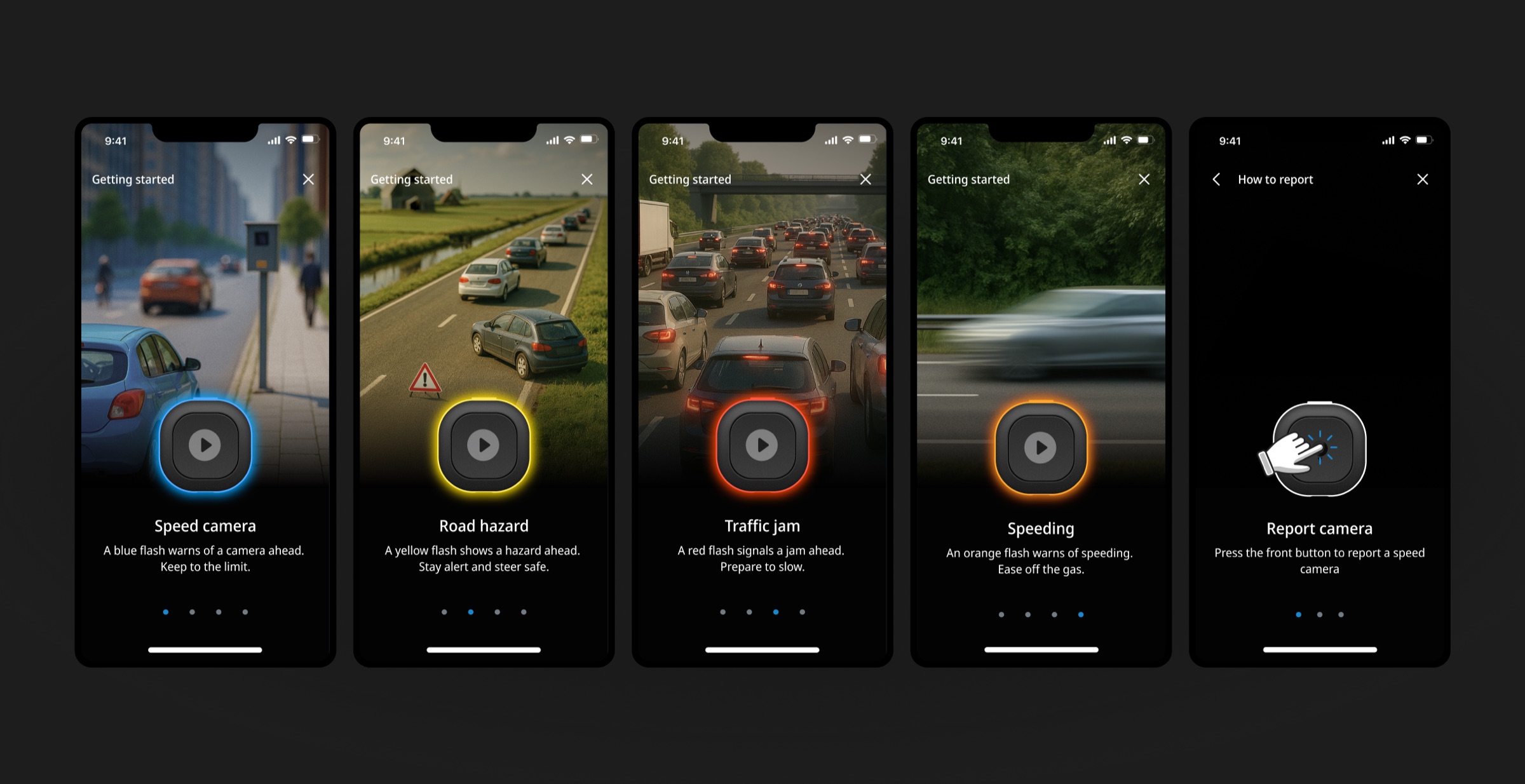
Quiet states matter too
The same language covers what drivers rarely think about: pairing, reconnecting, power and background activity. I wrote every behaviour down with its trigger, light, sound and intent, so design, engineering and the manufacturer judged the system as a whole instead of signal by signal.
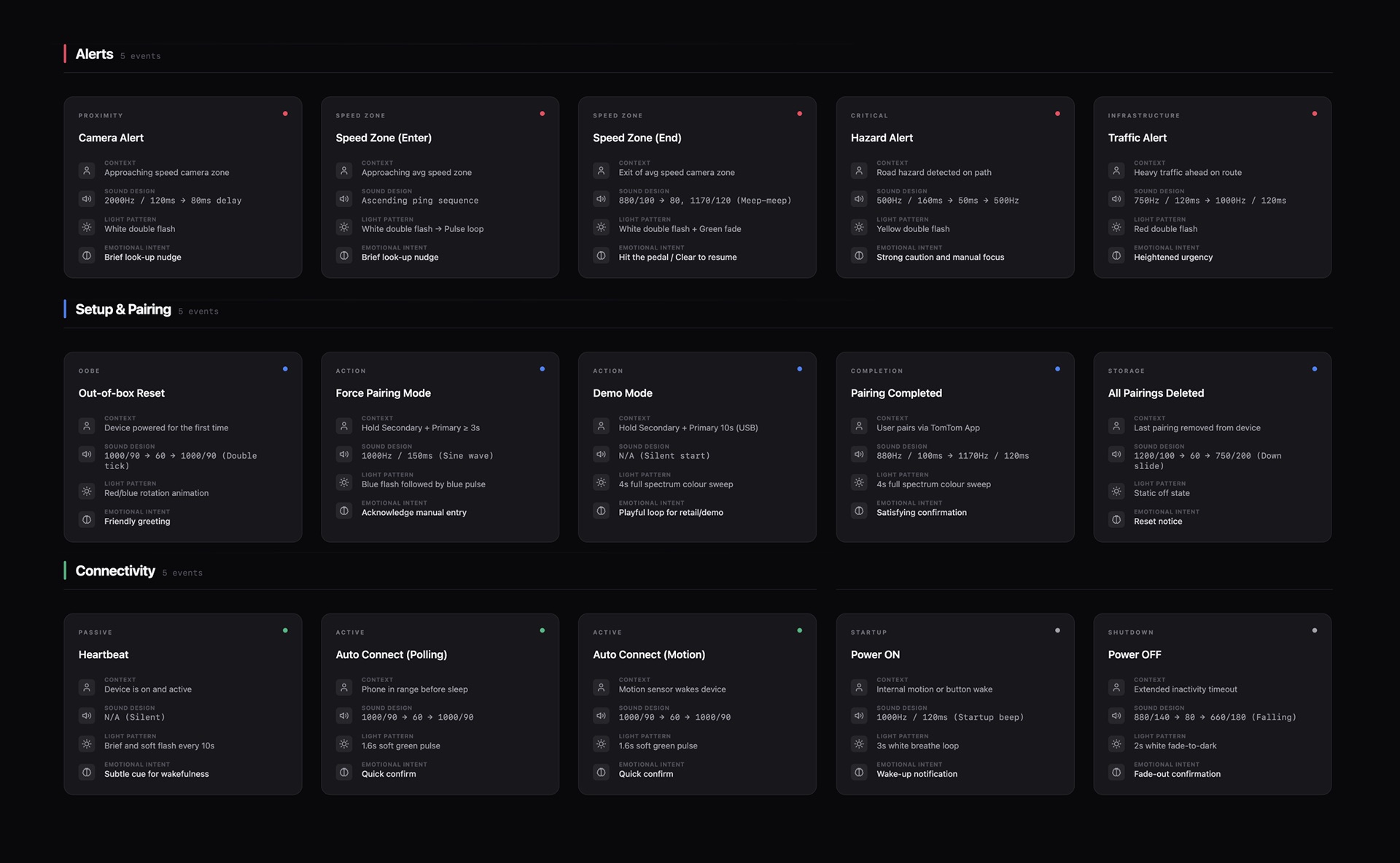
A simulator for the signals
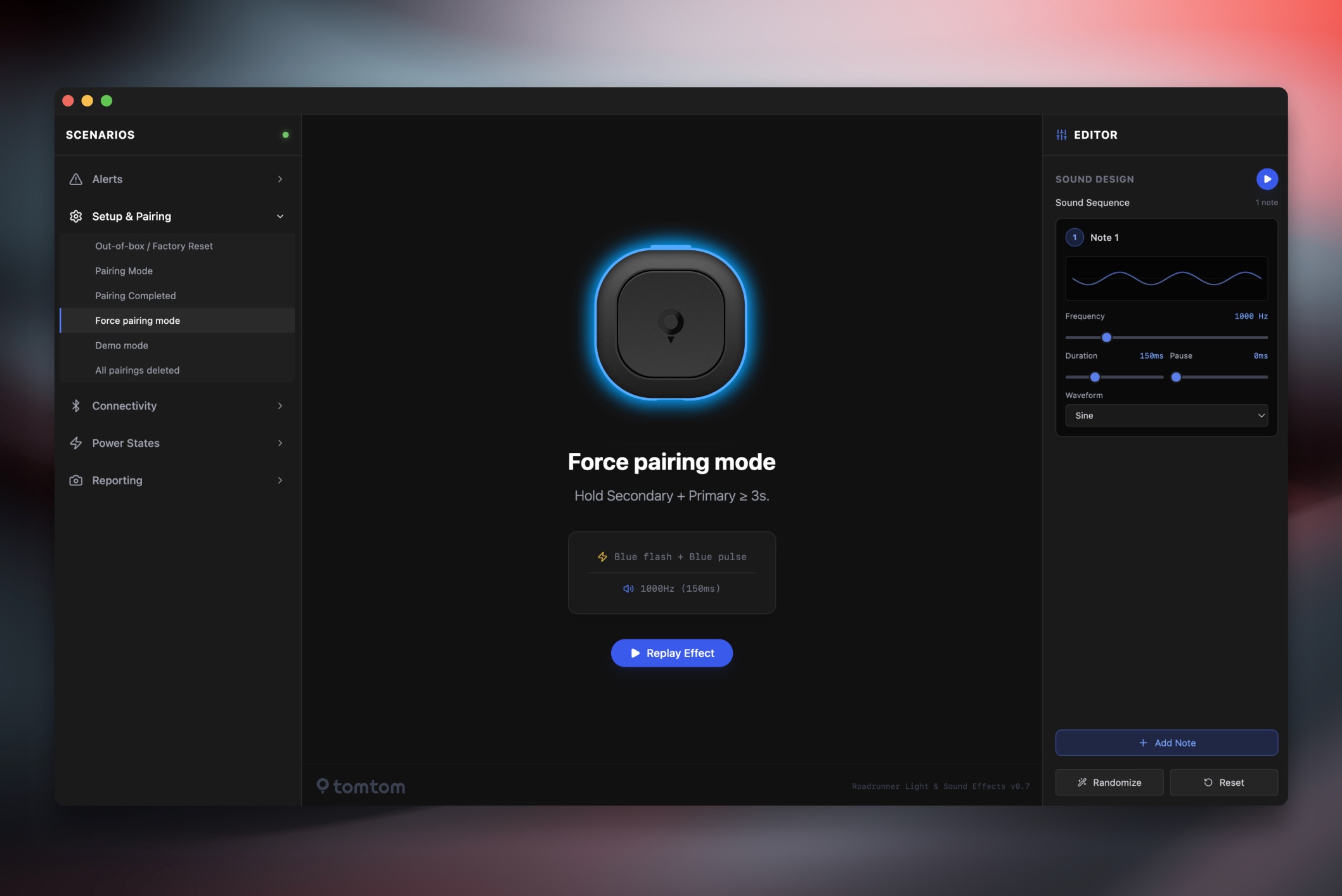
Waiting for firmware builds made every change slow. On my own initiative I built a web simulator with AI-assisted code in Cursor, at a time when that way of working was still new, so light patterns, timing and sound could be compared in the browser. The version shown dates from after the launch.
How the app teaches these signals